Google Announces New Accessibility and Personalization Features for Android
On Tuesday, Google revealed the rollout of five new updates aimed at enhancing Android devices’ accessibility, usability, and personalization. Announced through a blog post, these features include tools to reduce motion sickness, assist visually impaired users, help locate important items, and offer expanded customization options for Google Messages.
While some of these features appear to be catching up with similar offerings from Apple, which already provides comparable functionalities for iPhone users, others leverage Google’s Gemini technology to deliver multiple enhancements.
Motion Assist: Reducing Motion Sickness During Travel
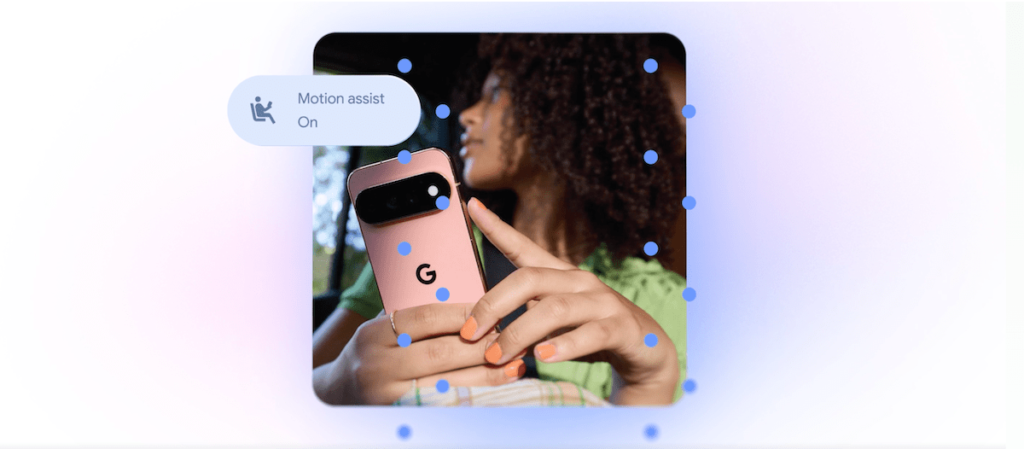
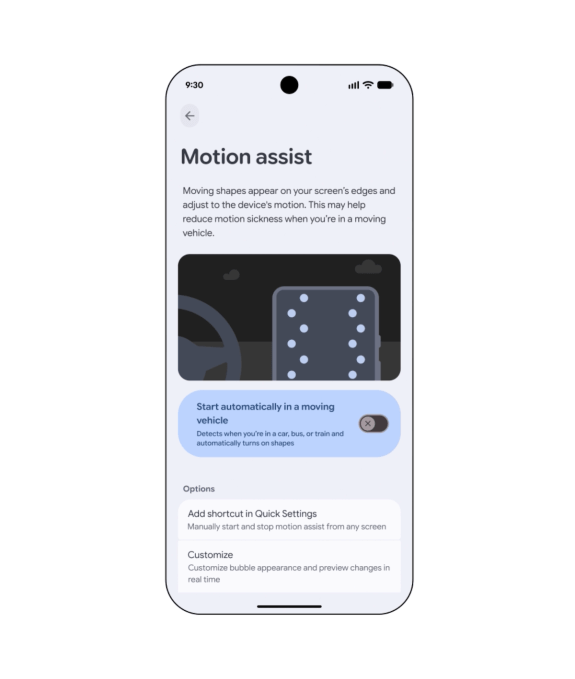
The standout update is “Motion Assist,” designed specifically for users who experience motion sickness while using their phones in moving vehicles. This feature overlays a moving bubble on the screen that responds to the vehicle’s motion, aiming to mitigate the sensory disconnect between what users see on their screens and their physical sensations.
Although innovative, this isn’t entirely new. Apple introduced “Vehicle Motion Cues” in 2024, a feature that animated dots around the edges of the display to move in sync with the vehicle’s movements.
Google’s “Motion Assist” can be enabled automatically, added to Quick Settings, and customized in terms of the bubble’s shape, color, and transparency. The company states that this feature will be available to users running Android 17.
Guided Vision: Assisting Visually Impaired Users
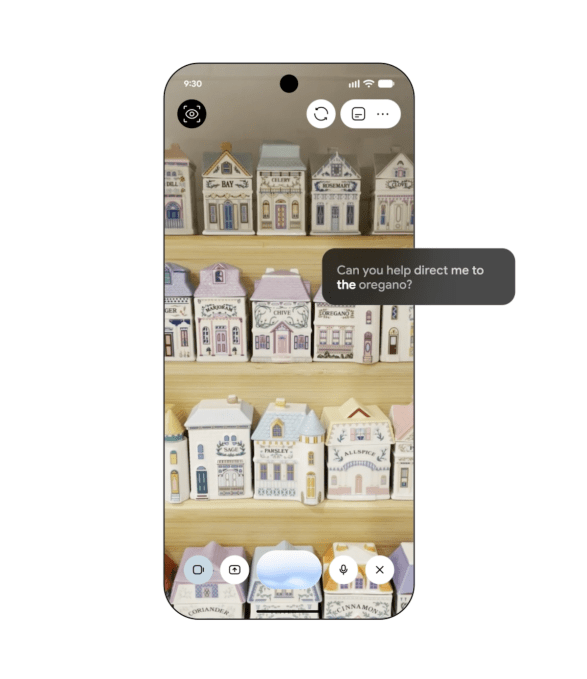
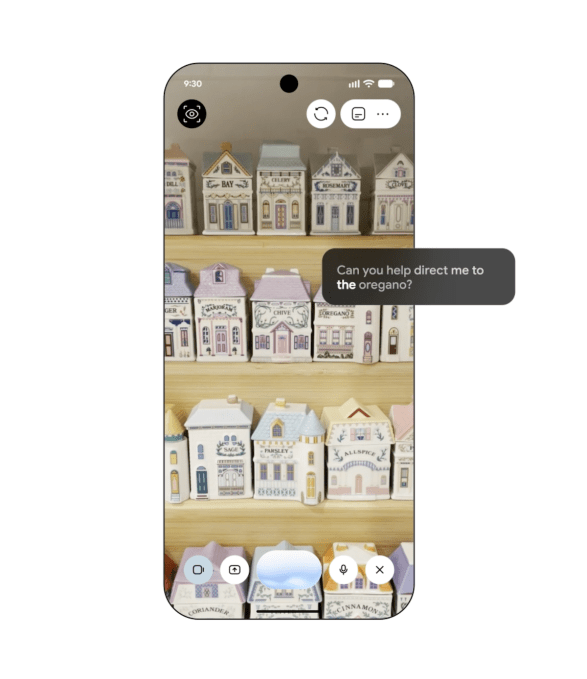
Google is also launching “Guided Vision,” a feature tailored for users who are blind or have low vision. It integrates the phone’s camera with Gemini to assist with tasks like reading small print on food packaging, identifying objects in the home, or viewing menus in dark environments.
The system can offer voice instructions when the camera isn’t properly aligned, guiding users to move or pan the device to better capture the scene. Guided Vision will be compatible with Android 9 devices and newer in regions where Gemini is available.
Item Tracking and Integration with Google Keep
Another enhancement allows Gemini to assist users in remembering where they placed important objects. A new “remembered items” section within Find Hub enables users to tell Gemini the location of belongings, such as saying “passport in the bedroom drawer,” which the system then saves. Users can also attach photos to facilitate later identification.
Furthermore, Google is integrating Google Keep with Google Messages, enabling users to share and edit lists like grocery shopping or travel notes directly within ongoing conversations.
Enhanced Personalization in Messages
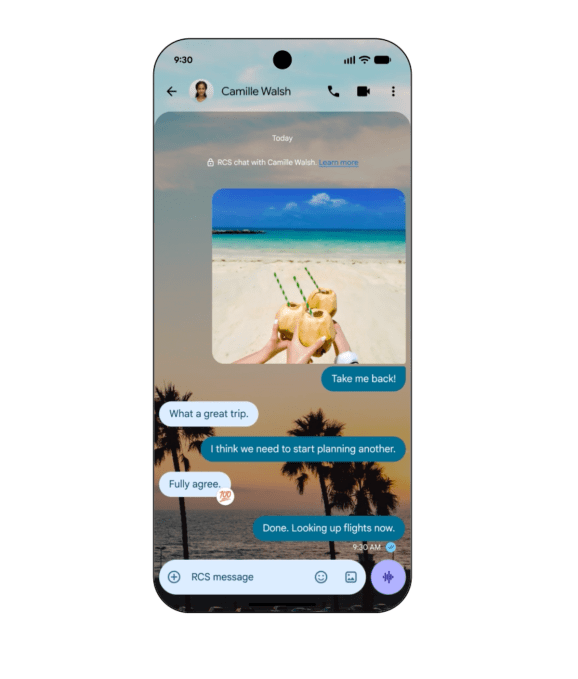
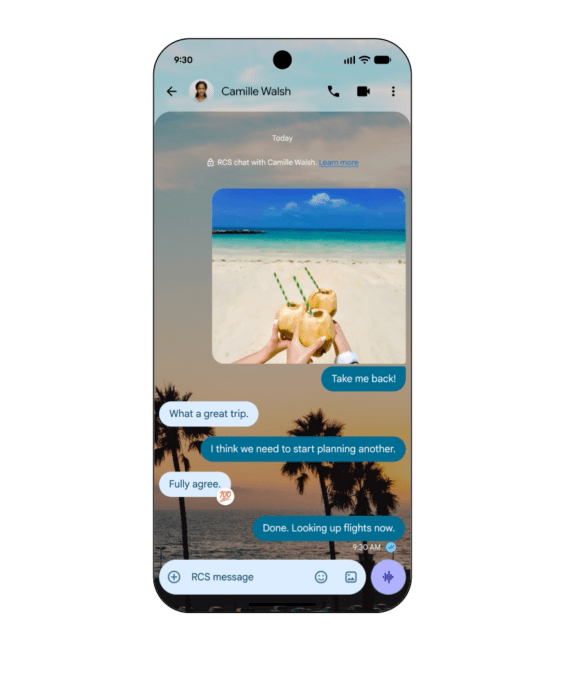
Additionally, Google is expanding customization options within Google Messages. Users will soon be able to personalize individual chat threads by applying different backgrounds, photos, and color schemes, with the message bubbles automatically adjusting to match the chosen theme.
This feature mirrors similar updates introduced by Apple last year, which also added custom backgrounds to its messaging app.
FONTE:
Título: Google’s Android update tackles motion sickness, accessibility, and more
Conteúdo:
On Tuesday, Google announced it’s rolling out five new updates designed to make Android phones more accessible, useful, and personalized. Announced in a blog post, the features include those aimed at reducing motion sickness, helping blind and low-vision users navigate their surroundings, remembering where users leave important items, and another that adds new ways to personalize Google Messages.
While some of the features see Google playing catch-up to Apple, which already offers similar features for iPhone users, others specifically leverage Gemini to provide various improvements.
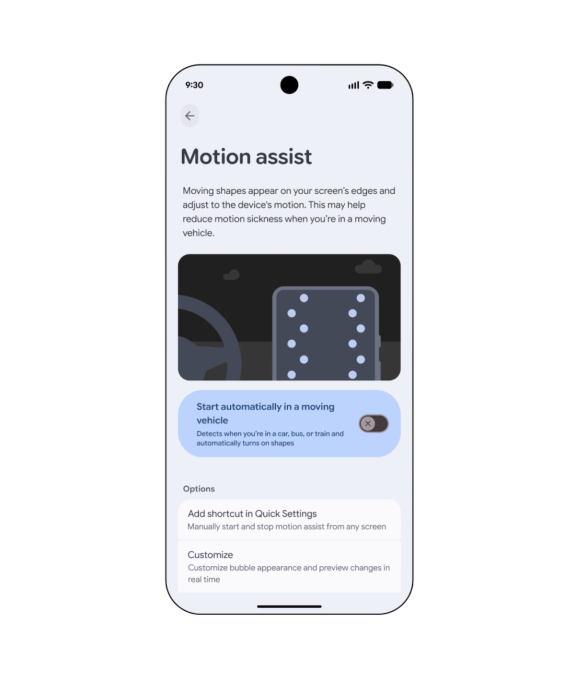
The most interesting update is “Motion Assist,” a feature designed to help people who experience motion sickness while using their phones in a moving vehicle. It adds a bubble overlay to the screen that moves in response to the vehicle’s motion, helping reduce the disconnect between what users see on their screens and what their bodies feel.
The concept isn’t entirely new, however. Apple introduced “Vehicle Motion Cues” in 2024, which uses animated dots around the edges of the display that move in response to a vehicle’s motion.
Users can set “Motion Assist” to turn on automatically, add it to Quick Settings, and customize the bubble’s shape, color, and transparency. Google says this feature is available to Android 17 users.
Google is also introducing “Guided Vision,” a feature designed with blind and low-vision users in mind. It combines the phone’s camera with Gemini to help with tasks such as reading small print on a food label, viewing a menu in a dark restaurant, or identifying objects around the house.
The feature can also provide voice guidance when the camera isn’t positioned correctly, telling users to move the phone, pan around, or center an object. Guided Vision is coming to phones running Android 9 and newer in countries where Gemini is available.
A new feature also enables Gemini to assist users in remembering where they placed important objects. A “remembered items” section within Find Hub allows users to tell Gemini the location of specific items, such as “passport in the bedroom drawer,” which is then stored. Photos can also be attached to make identification easier later.
Furthermore, Google is adding a Google Keep integration within Google Messages, allowing users to share and edit lists like grocery shopping or travel notes directly within conversations.
Personalization Enhancements in Messaging
Finally, Google is expanding customization options within Google Messages. Users will soon be able to personalize individual chats with different backgrounds, images, and color schemes, with message bubbles automatically adapting to the chosen style.
This addition follows a similar feature introduced by Apple last year, which also enabled custom backgrounds for messages.