
Forgetting Liquid Glass: Anticipating 7 Features of iOS 26.
iOS 26 is set to bring significant changes, with a new naming scheme based on the upcoming year and major new features and design updates. The upcoming update promises to be one of the most significant in recent years.
## Unified Phone app
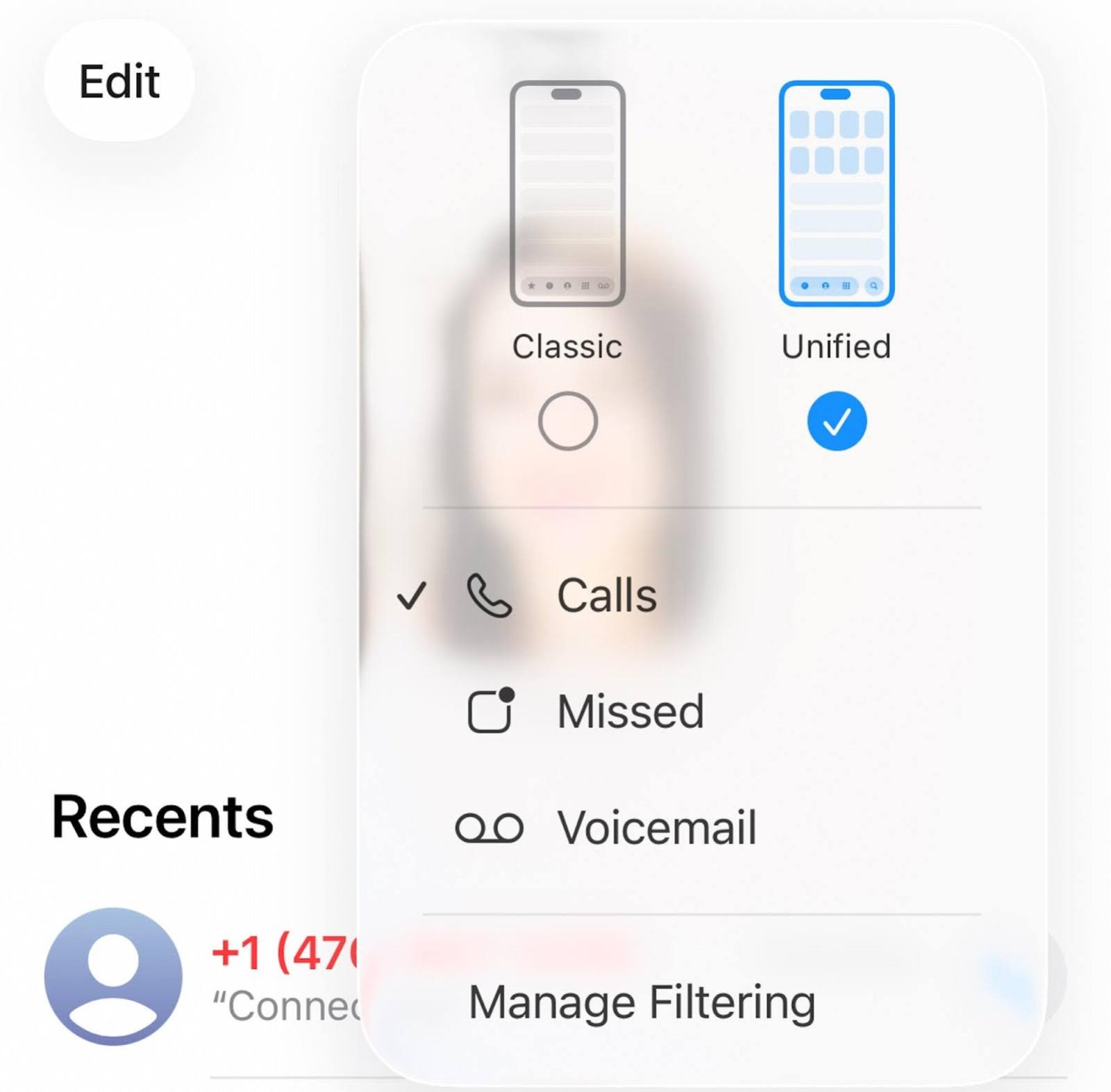
The new Phone app in iOS 26 features a redesigned tab bar at the bottom of the screen, with only three tabs for Calls, Contacts, and Keypad. Voicemails and favorites are integrated into the main “Calls” tab, reducing clutter. Users can switch back to the “Classic” view if they prefer the previous layout.
## Call screening
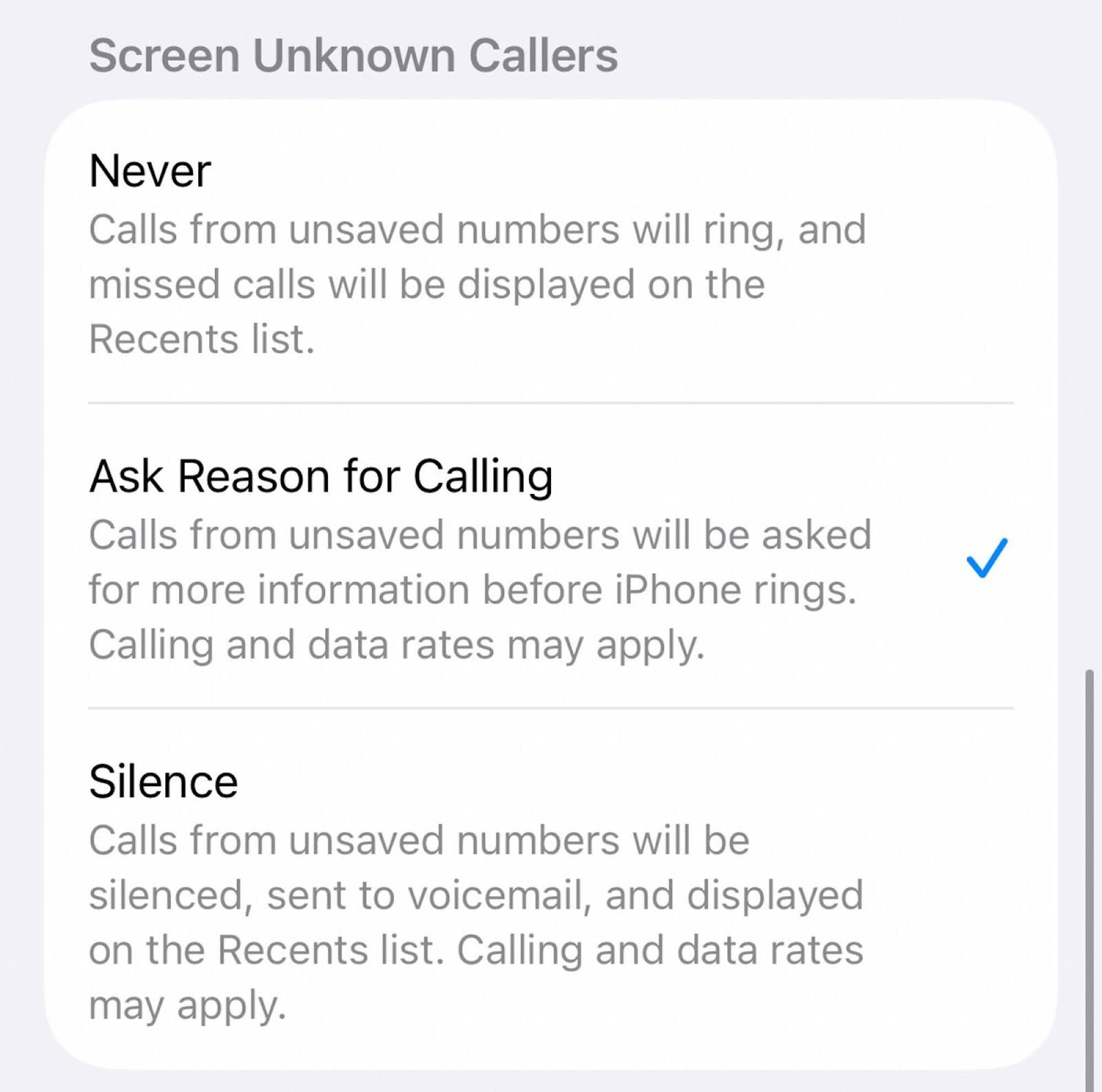
iOS 26 introduces a call screening feature that allows users to control how unknown callers are handled. Options include never screening calls, asking for the reason for calling, or silencing calls from unknown numbers.
## Better Visual Intelligence
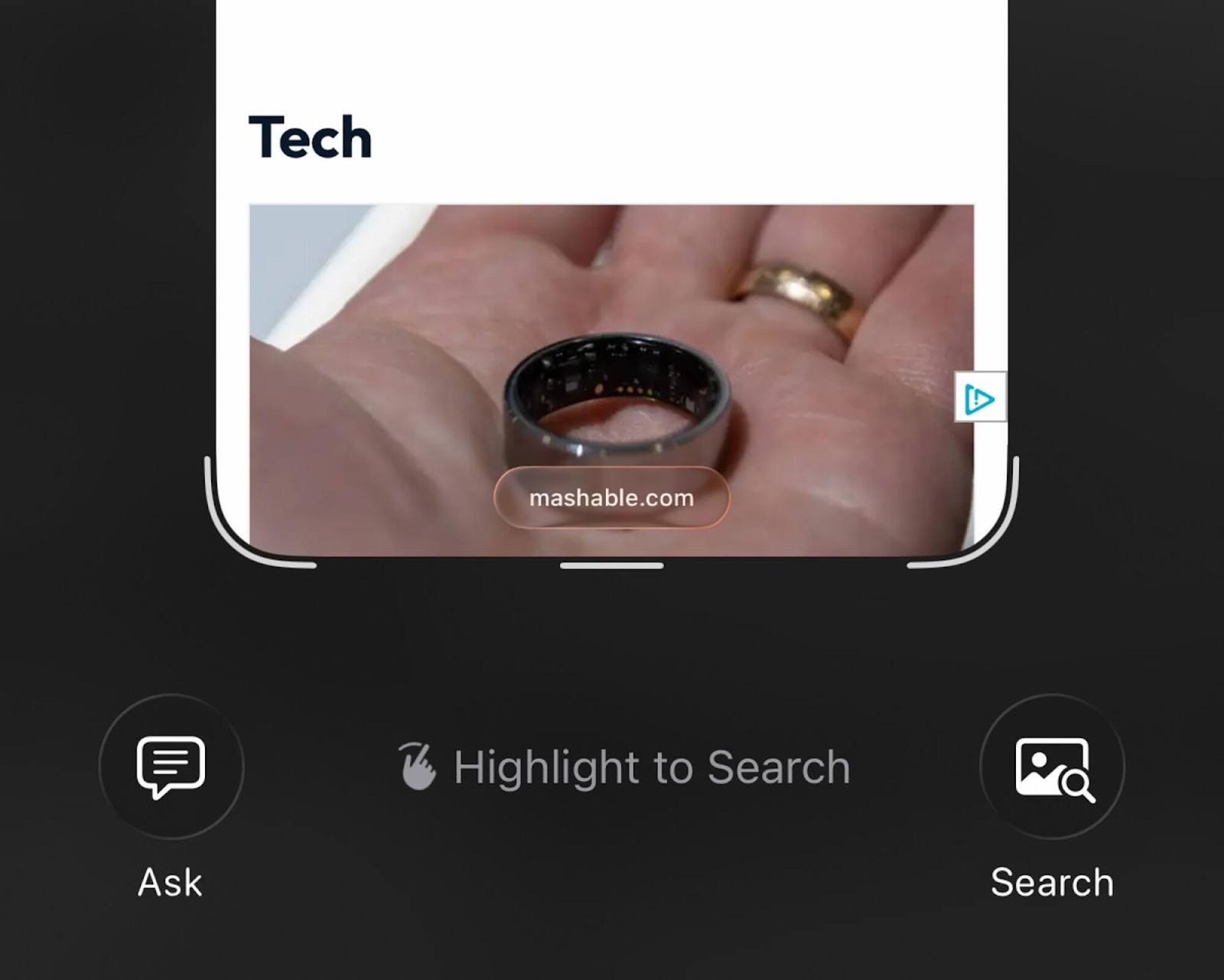
Visual Intelligence in iOS 26 offers improved features, allowing users to use Apple Intelligence with screenshots. This feature provides access to visual information both from the world around you and on your iPhone, enhancing the overall user experience.
## Spatial Scenes on your lock screen

Spatial Scenes utilize AI to add depth to photos, creating layers and giving images a 3D effect. Users can easily apply this feature to their lock screen, adding a new dimension to their device’s interface.
Customizable iMessage Backgrounds
iMessage is getting a little more customizable in iOS 26. Users will now have the ability to add backgrounds to their chats, choosing from photos, simple colors, or preset images of the sky, water, and more. While this may not be a major change, it offers a fun way to personalize iMessage chats.
To add a background to a chat in iMessage on iOS 26, simply open the chat, tap on the name of the contact or group chat at the top, then select the Backgrounds tab to choose from the available options. It’s important to note that the background will be visible to all participants in the chat who are running iOS 26 or later.
Minimalistic Safari Interface
Safari is also receiving a minimalist update in iOS 26, focusing on putting the content of web pages front and center. When opening Safari, users will notice buttons presented as hovering bubbles rather than a traditional menu bar. These buttons include options for forward and back navigation, a three-dot menu button, and the main URL bar. As users scroll down a webpage, these controls will shrink to maximize the screen space for content.
While this design choice may make the controls slightly less accessible, users can easily bring them back by scrolling up or tapping on the small URL bar. Overall, this change has not significantly impacted the mobile web browsing experience for many users, as common actions like opening and closing tabs remain easily accessible.
Live Translation Feature
Another notable feature in iOS 26 is Live Translation, which enables users to have phone calls in two different languages. During a call, an AI voice will provide translations of the other person’s speech in real-time, displaying the translated words on the screen. When users speak, their words will also be translated for the other party to understand.
One key advantage of this feature is that all translation processes occur on the user’s iPhone, allowing seamless communication with individuals using different devices. Live Translation currently supports English, French, German, Portuguese, and Spanish for one-on-one calls, with the potential for additional languages to be added in the future.
Topics
iOS